|
|
|
|
Written in Microsoft Excel
Since BidBuilder
Estimating Software is written in Microsoft Excel, you
aren’t forced to learn a whole new product. The same features
you are familiar with in Excel can be applied in BidBuilder to
help you achieve an accurate estimate.
|
|
|
Preloaded databases
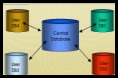
We have completed the hard work for you. BidBuilder comes
preloaded with five databases. These databases include 1) RS
Means Database, 2) Residential Default Database, 3) Pella
Database, 4) Anderson Database, and 5) Marvin Database.
|
|
|
Assembly database
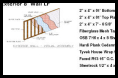
BidBuilder allows you to create assemblies. Assemblies alone
will reduce your estimating time in half. Instead of adding one
item at time to your estimate, make an assembly of those items
and add them all at once.
|
|
|
Proposal writer
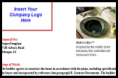
BidBuilder has a ‘built-in’ proposal writer. This proposal
writer allows you to create a proposal in minutes by adding
statements, prices, items, customer/job information, and
images. You can create a professional proposal in half the time
it takes you now.
|
|
|
Automatic reports
With BidBuilder’s report writer, all of your estimate
information will automatically transfer to the report of your
choice. The report will appear in Excel format, so you can
customize your report using standard Excel features.
|
|
|
Easy to use
Not only is BidBuilder powerful and accurate, but it is also
easy to use. With the preloaded databases combined with the
training supplements, BidBuilder has only a weekend learning
curve. Spend your time estimating instead of learning a ‘hard
to use’ program.
|
|
|
Video help
BidBuilder comes loaded with Help Videos. Do you have a
question? Don’t waste your time looking through the Help File -
simply click on the Help Video and see exactly what you need to
do. Most builders we know would rather be shown how to do
something vs. reading it.
|
|
|
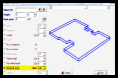
Fully Integrated With Digital
Takeoff
Use Digital Takeoff to figure your takeoff quantities 200%
faster than calculating them by hand or even with a digitizer.
Then utilize that information in BidBuilder to accurately figure
the amount of material required.
|
|
|
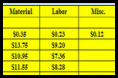
Multiple markups and cost
BidBuilder allows you to enter up to three costs per item as
well as three markups. These costs include 1) material cost, 2)
labor cost, and 3) miscellaneous cost. The markups include 1)
sales tax %, 2) markup %, and 3) profit %.
|
|
|
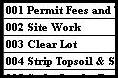
Work Breakdown Structures (WBS)
BidBuilder allows you to assign WBS’s to your items. This
allows you to see not only how much material you need, but also
where that material is being accounted for.
|
|
|
QuickBooks interface
With the BidBuilder Estimating Software/QuickBooks interface, you can easily take
your estimate into QuickBooks for easy accounting, job costing,
purchase orders, etc.
|
|
|
|